

Creating an Account as a Health Professional
This guide explains how Registered Nurses and Caregivers can create an account, complete their professional profile, submit their information for verification, and become available to provide care through Nexa Nurse.
1. Open the Nexa Nurse App
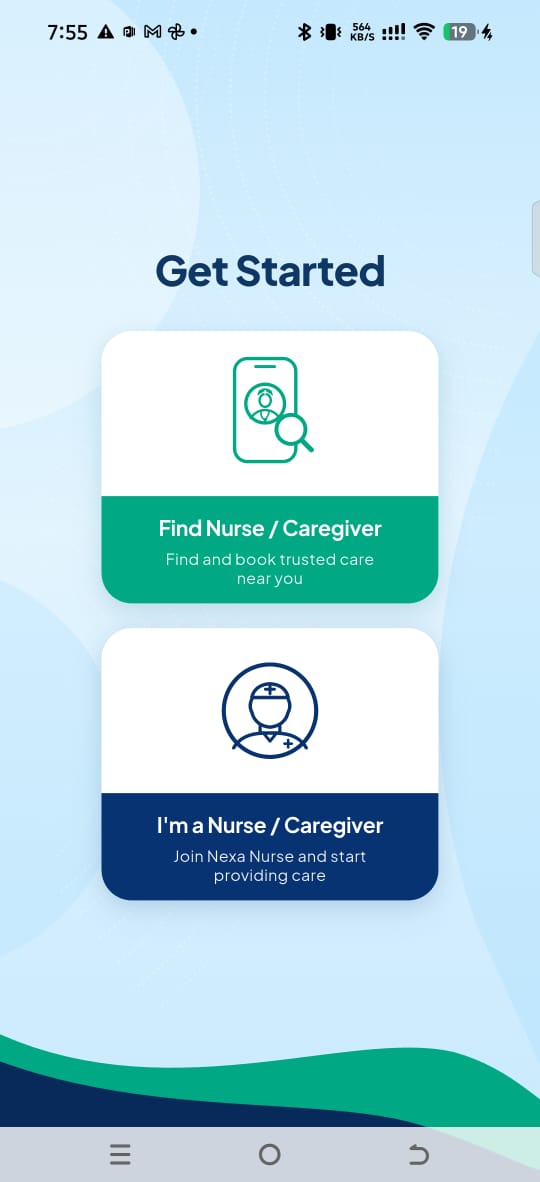
When you open the Nexa Nurse App for the first time, you will see two options:
- Find Nurse/Caregiver – Find and book trusted care near you.
- I’m a Nurse/Caregiver – Join Nexa Nurse and start providing care.
To register as a health professional, select: I’m a Nurse/Caregiver – Join Nexa Nurse and Start Providing Care
2. Read the Introduction Pages
You will be taken through a few information pages explaining Nexa Nurse and how the platform works.
You can either:
- Click Continue to read through the information, or
- Click Skip to proceed.
We recommend reading the information as it contains important details about providing care through Nexa Nurse.
3. Registration or Login
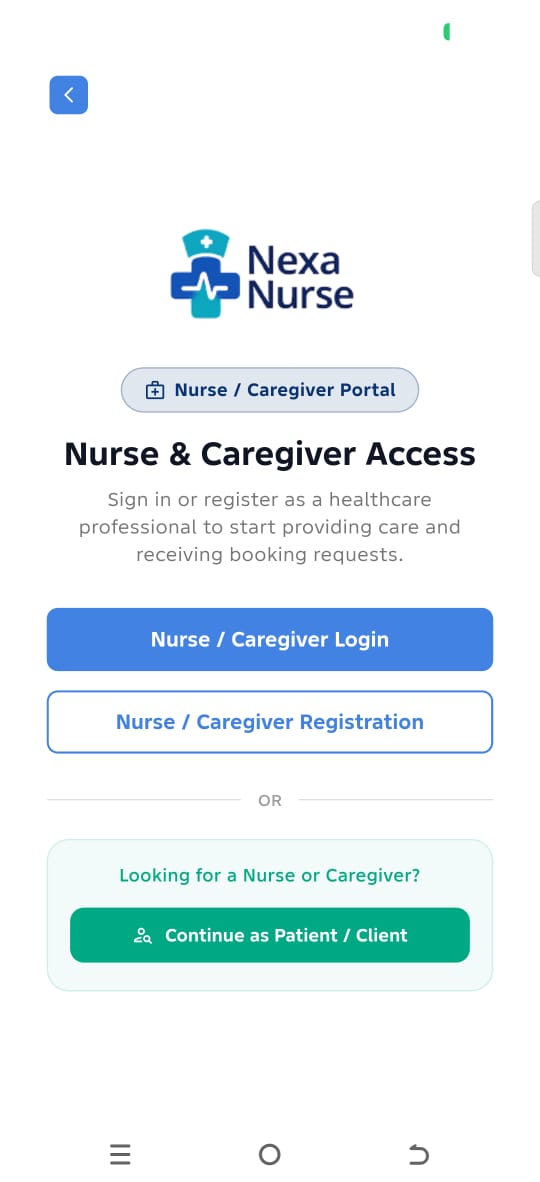
You will then be taken to the Health Professional Registration/Login page.
If you already have a Nexa Nurse professional account, select: Nurse/Caregiver Login
If you are registering for the first time, select: Nurse/Caregiver Registration
4. Complete Your Initial Registration
Complete the following information:
Personal and Account Information
- Take a Selfie – Take a clear selfie as required by the app.
- Select Bank – Select your bank from the available options.
- Account Number – Enter your bank account number.
- Set Name – Click the Set Name button to verify and retrieve the account name associated with your bank account.
- Care Professional – Select your professional category:
- Registered Nurse
- Caregiver
- Email Address – Enter an active email address that you can access.
- Password – Create your preferred password and confirm it.
- Affiliate Code – If you have an affiliate code, enter it in the appropriate field.
- Terms of Service & Privacy Policy – Read and accept the Terms of Service and Privacy Policy by checking the box.
Click Sign Up to continue.

5. Verify Your Email Address
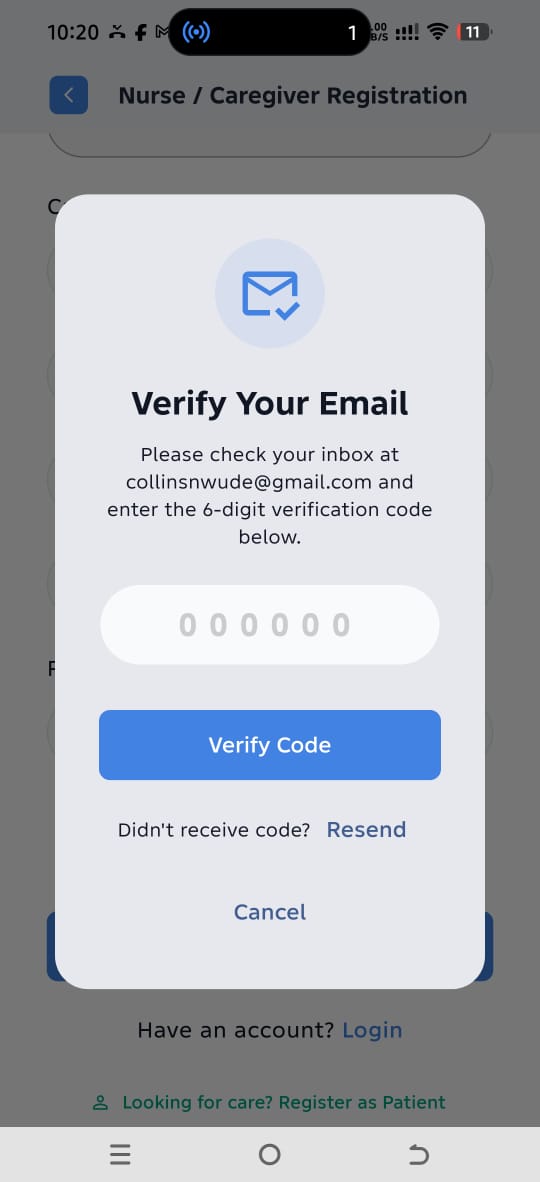
After clicking Sign Up, an OTP verification window will appear.
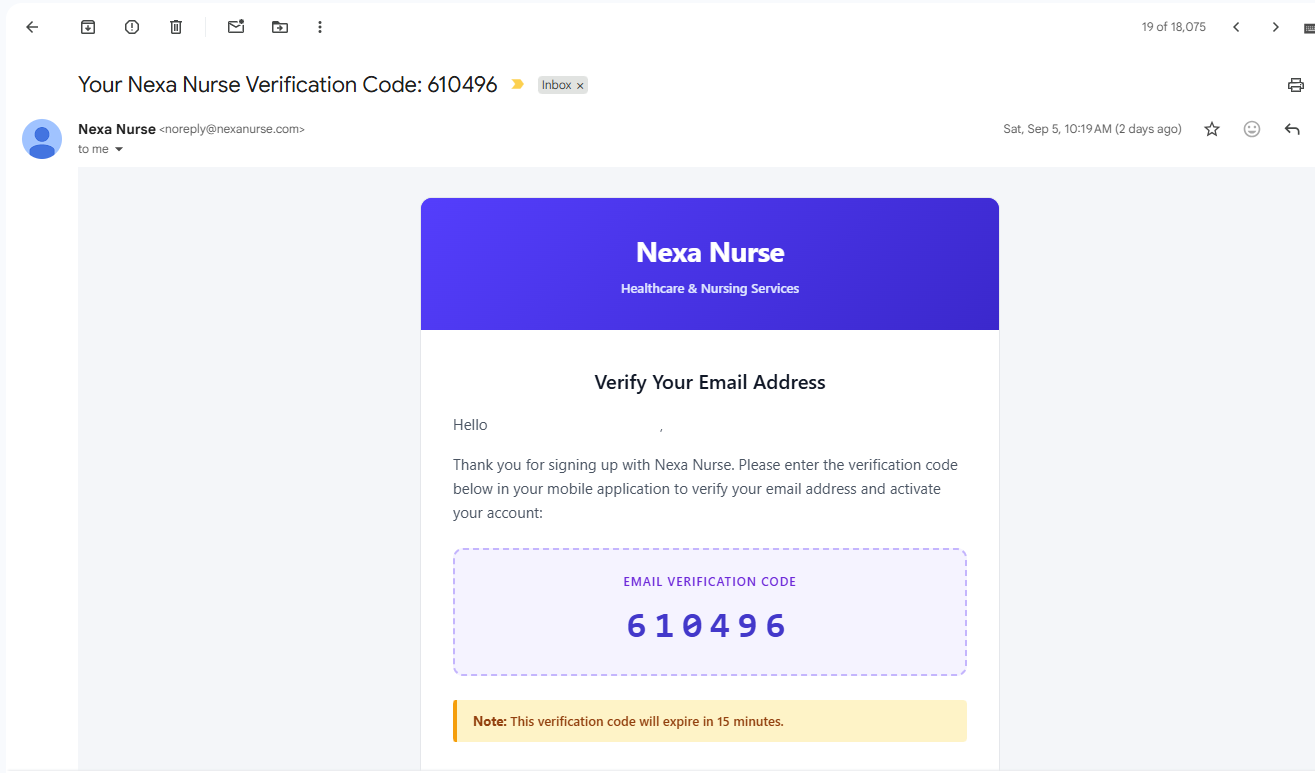
Check your registered email address for the OTP sent by Nexa Nurse.
Enter the OTP in the app to verify your email address.
Important
You must complete email verification before proceeding.
6. Log In to Continue Your Registration
Once your email address has been successfully verified, you will receive a confirmation email.
Log in to the Nexa Nurse App using the email address and password you provided during registration. You will be redirected to your Profile page. If you are not automatically redirected, go to My Profile from the menu.
You will need to complete the following sections:
- Personal Information
- Emergency Contact for SOS
- Identity Verification
- Professional Details
- Guarantor Information
- Specialization & Service Pricing
- Long-Term Booking Availability – Check the box if you are available for long-term bookings. Otherwise, leave it unchecked.
Complete all required sections to bring your professional profile to 100% completion.
Sign the Consent Form
Once all required profile information has been completed, you will be required to review and sign the Consent Form.
Important: Signing the Consent Form locks your profile. After signing, you will no longer be able to edit your profile information directly through the app.
If you need to make any changes after your profile has been locked, you must contact Nexa Nurse Support for assistance.